He looked very happy
Saturday, September 8, 2007
Friday, September 7, 2007
Computerworld Technology Briefing: Optimizing Branch File Management with File Area Networks

File management, particularly where branch offices are concerned, can be an enormous IT challenge and headache. But a fast-emerging solution called File Area Networks or FANs holds the promise of a more efficient, simpler way to do file consolidation and replication, and in a way that is rich with business and application-level context.
Download: here
Posted by Free One by One at 7:43 PM
Next-Gen DVD Battle Heightens
LOS ANGELES (Reuters) - Hollywood studios are becoming deeply divided over which high-definition technology will replace the DVD, increasing prospects that it will be years before next-generation players become standard equipment in U.S. households.
Paramount Pictures and DreamWorks Animation SKG Inc signed exclusivity deals to distribute their next-generation discs on Toshiba Corp's HD DVD format for the next 18 months, a move that evened a contest where Sony Corp's Blu-Ray Disc appeared to be pulling ahead.
Paramount expected the lower-priced HD DVD players, which start at $299 compared with $499 for Blu-Ray, to tempt consumers more this holiday season when summer box office blockbusters are released on high-definition DVD.
"We are in a very nascent stage in the world of high definition packaged media," said Kelley Avery, president of Paramount Home Entertainment. "Our approach is taking a look at what will motivate the consumer."
But the Walt Disney Co, a Blu-Ray supporter, has sent a traveling road show to the top eight U.S. shopping malls to promote Blu-Ray players to those looking to upgrade.
"Our goal with the Disney Magical Blu-Ray Tour is to reach as many people as possible and help educate consumers across all demographics," said Bob Chapek, president of Walt Disney Studios Home Entertainment.
Pali Research analyst Rich Greenfield said Paramount's defection from Blu-Ray "alter(s) the landscape meaningfully, as Paramount is the leading theatrical distributor year-to-date."
Eight of the 15 top-grossing films of the year, including "Shrek the Third," "Transformers" and "Harry Potter and the Order of the Phoenix" were released by studios that distribute exclusively on HD DVD or on both formats.
Sedate Transition
Tom Adams, president of Adams Media Research, said the 18-month period of exclusivity for HD DVDs at the two studios comes during slow but growing sales for the new technology and will have little impact on consumers.
"It was going to be a more sedate transition in our view anyway," Adams said. "That's one reason that a period of exclusivity didn't sound too terrifying to the studios."
The 1.66 billion standard DVD and VHS units sold so far this year dwarf the 3.9 million next-generation discs sold since the format was launched last year.
Preliminary estimates compiled by Adams Media Research show that about 1.5 million U.S. households can play Blu-Ray discs on Sony PlayStations 3 video game machines or dedicated players, versus about 300,000 households whose Microsoft XBoxes or dedicated players are HD DVD compatible.
Sony has dominated high-definition software sales as well, selling twice as many discs as HD DVD in the United States.
The two formats are nearly at parity in the number of titles each has released -- about 200, according to Digital Entertainment Group data.
Despite Sony's early edge, Adams and others warn it is simply too early to tell which format will prevail.
Adams expects HD DVD to be ahead in 2008, in terms of dedicated players, capturing about 1.1 million U.S. households, compared with 900,000 households with dedicated Blu-Ray players.
PriceWaterhouseCoopers also expects to wait several years for a winner to emerge and give large numbers of U.S. consumers confidence to buy.
"Relatively few stand-alone (high definition) players have been purchased, which suggests that the presence of two incompatible ... standards could be inhibiting the market," PWC said in its Global Entertainment and Media Outlook: 2007-2011.
In the long wait for a winner, studios that chose one format could find they're leaving money on the table, Adams said.
"The more positive development for the industry ... would have been having the Blu-Ray-exclusive studios start releasing on HD DVD," Adams said. "We think ... there's some inevitability that they will have to release in both formats."
Universal Studios is a unit of General Electric Co. Warner Bros is owned by Time Warner Inc. Twentieth Century Fox is a unit of News Corp. Paramount is a unit of Viacom Inc.
Posted by Free One by One at 7:36 PM
Simple hackery enables free iTunes ringtones

Well, this is a handy (and well-timed) find! User Cleverboy over at Macrumors has discovered a simple trick to get your own music onto your iPhone using the just-released iTunes 7.4, and it'll cost you precisely nothing. To get this to work, we hear you only need to rename an AAC track to .M4R, then double click it and iTunes will automagically load it into iTunes for you. Next time you plug in your iPhone to sync up, just check off the song in the Ringtones tab and voila, instant tone gratification. Thanks, Apple -- free ringtones for the songs we already own or ripped from our own CDs, this is how it should have been from the get-go. On a happy note, Macrumor's forum users are reporting the magic works via both Apple and Windows flavors of iTunes, but feel free let us know how you all get on.
Posted by Free One by One at 8:42 AM
How to Unlock the iPhone - Original Method Improved !
How to unlock the iPhone to work on any GSM providerThere are several methods out there:
1. Use the TurboSim by Bladox – this is a sim card that goes on top of your sim card to fake the AT&T IMSI ID. It fools your phone into thinking that you have an AT&T sim card. This would probably be the easiest of all methods but the problem is you cannot find these TurboSims anywhere. The manufacturer site is sold out http://www.bladox.com/ with no further information. Maybe Apple got to them?
2. Use the SIM cloning method – This is a bit harder, but the general idea is you make a copy of your SIM card but the new copy still looks like the AT&T card to the iPhone, even though it has your carrier ID and phone number. This method is a bit expensive since you need a blank SIM card (called SilverCard – sold on European sites) and a SIM card programmer. I was actually able to use my old Absolute 1 programmer (once used to test Dish Network cards) to read my T-Mobile card’s IMSI, ICC, and KI, but it didn’t work on any other cards. From what I understand the best programmer out there for this is the “Dynamite”. I haven’t tried this method personally, but it seems like it will work with the right tools. A good guide on this (and the only one I found is at http://www.pqdvd.com/blog/iphone/unlock-iphone/iphone-is-fully-unlocked-for-european-use/)
3. The hardware method – this requires you to open the iPhone and connect two points on the board, in addition to having some tech knowledge to reprogram the phone. If you have bad vision don’t try this (you’ll know why when you see this board ? ). This method is pretty involved, but it is the cheapest (almost free), and it works. This is the method I used, and as you can see from the photo it did the job.
The Hardware MethodThere are a lot of good guides out there but a lot of them are missing important things… I will try to fill in the blanks, while going through it.
There are some sites out there (and all over the news) that claim they are going to come out with a software hack.. its possible, but I don’t think its coming for a while and they are going to charge you money. I am a bit skeptical about this site anyway, since their video on YouTube shows their screen with the T-Mobile logo and there are tons of tools out there that you can use to change the logo. They also mention the hardware hack, but say they will create a software one. I am sure it can be done (software), as you will see by the end of this, that there is got to be a way to save all this work ? into an image and just upgrade with iTunes. In either case, its not available yet, so this is what I did…
Supplies you will need:
1 Paper Clip1 Tiny Phillips screwdriver1 Utility knife1 Guitar pick2 Needles (yes the ones you saw with)1 Piece of wire1 Tiny knife / razor blade (to scrape the board)
First thing I did when I got the iPhone is activate it (fake) using iTunes. There is a good and pretty simple method for this on http://www.hacktheiphone.net/iphone_bypass_activation.html . To summarize it you install iTunes (has to be version 7.0.354 available here). You then modify itunes executable with a hex editor as describe in the above manual. If you know anything about hex – this is all you need to know:
Magic iTunes 7.3.0.54 numbers:Offset 2048912: 33C0C3Offset 257074: 28Offset 257013: 33C9B1
After you are done modifying the iTunes.exe, you need to modify your “hosts” file. On Windows XP its located in Windows\System32\drivers\etc. Just add a line the says
127.0.0.1 albert.apple.com
This obviously redirects any requests to albert.apple.com (the apple activation domain) to your PC. Then you run the “fake” activation server on your PC (found here). I haven’t spent too much time thinking about how it works, but I assume it mimics the responses from Apple that iTunes is looking for. Its written in .NET so you do need the .NET framework installed to run this. I used my laptop for this (so I can keep my desktop iTunes at the latest version and not mess around with it). Activating it took literally 5 seconds. Just plug it in and its activated. No more messages about the phone needing activation. At this point you can actually have a $600 iPod (albeit WiFi, web browser and wide screen). The included SIM card will say it needs activating (since its brand new) and your other SIM card (I used T-Mobile – the only other GSM provider in the US ), you will get a message saying “Invalid SIM”. Taking out the SIM card is super simple… just take a paper clip, straighten it out and put it in the small whole on top of your iPhone. A little tray will pop out and your SIM card will be in it. After this step I just kept the SIM card out until the very end. Next I hooked up my iPhone to my PC which had the latest and real version of iTunes on it. I was asked if I want to upgrade my iPhone (if you are not asked, go to Help -> Check for Updates). I said yes and installed the latest firmware for iPhone 1.0.2. You should do this because after you do the hack, you cannot upgrade… well you could if you want to redo everything again ?. Of course if you like your iPhone with 1.0.2 on it you should never really need to upgrade – it already works, but I am sure there will be some fixes out there for bugs not yet discovered…
First things you need to do to your phone is “Jailbreak” it. Jailbreak is a tool that has been out for a while now that allows you to fully access your iPhone. Its pretty simple to use if you follow all the instructions. There are many good guides out there for this, this one is pretty good (http://www.hacktheiphone.net/iphone_first_ten_steps_to_modding_windows.html). This is a pretty standard thing now so I am not going to go into it. One thing they don’t mention anywhere is… don’t put other folders in this folder you create. If you do your phone will probably hang during the “Rebooting iPhone” step - something I found out the hard way.
After you are successful with Jailbreak, you need to install Nate True’s iPhone SSH kit. This will allow you to access your iPhone with a FTP like program (SCP). Its an SSH server for your iPhone. You will need a SCP client. I used WinSCP – its free and you can get it here. Once you download the SSH kit, unzip it somewhere on your hard drive (Create a folder on C:\ like SSH). I found it that it works smoother on local drives – some of these utilities don’t run from a network drive… Once you unzip run the “sshify-windows.bat” this will do everything just follow the instructions – very simple. Once installed you should go to your Settings -> General menu on your iPhone and set the Auto-Lock to never for the time being. You don’t want it to keep disconnecting and probably getting a different IP from your wireless router. And yes you do need a wireless router, the only way you can SCP to your phone is through the wireless. Once you enable your iPhone’s wireless, your router should assign an IP address. You can make it static if you like, just make sure the static address is one that’s not going to get assigned to another DHCP client. This way you always know what your iPhone’s IP is. Its not required though, dynamic works fine. Just go to your Settings -> WiFi on the iPhone and expand you network. You will see the IP address there – that is what you are going to use in WinSCP to connect.
In WinSCPHost name: your iPhone’s IP addressUsername: rootPassword: dottie
You should change your password after you are done, since anyone who knows this default password can log into your iPhone and break it… It’s a bit tricky to do, but worth it if you don’t want anyone hacking into your iPhone.
Now you need the “binkit”. These are linux binaries compiled for the iPhone - Makes your iPhone into almost a fully capable linux system. The binkit is available here, just download it unzip it (I used WinRAR to do it on Windows). Put it into a some folder on your computer. You will need to copy these files (mimicking the directory structure) to your iPhone using WinSCP. A good guide is here http://www.hacktheiphone.net/iphone_installing_binkit_mac.html - its for a Mac but essentially it’s the same process. Just make sure (and they don’t mention this) you set the permissions properly. You need to give root execute permissions or everything else won’t work. I missed this (since its not mentioned anywhere), and had to go back and figure out why I can’t run these tools later. Just set the Execute permissions for root user. You can right click and go to properties in WinSCP once the files are copied to set this.
You can also install the “Installer”, you don’t really need it at this point but it’s a cool thing to have and I think (not sure) some packages you’ll need are there (like binkit). Its available here http://iphone.nullriver.com/beta/. Installing is easy – just like any other application, just copy the Installer.app folder to your Applications directory on the iPhone using WinSCP and you will see the shortcut for it on the home screen (aka Springboard).
Reboot your iPhone…
Get and install a Hex Editor tool like HexEdit. Available as part of this RAR http://rapidshare.com/files/51207171/Geohack.rar . You will need almost all the files in this RAR. So keep it. If you already activated using the Hex hack you will have a hex tool installed already.
Get and install Putty. This is a client you can use to “Telnet” to your iPhone and execute commands. Download here. For connection info it’s the same. Your iPhone’s IP, username = root, password = dottie (unless you already changed it).
Unrar this folder somewhere – make a directory called GeoHack RAR. Copy the files from bin folder to your iPhone’s /bin folder. A lot of these will already be there since you installed the binkit.
Next copy the termcap extracted from this RAR to /usr/local/etc (you might need to create the directory structure)
Next copy bbupdater from RAR to your iPhone’s /bin directory. Make sure you give Execute permissions to root.
Copy the files from NORDumper from the rar to /usr/bin on your iPhone. Make sure you give Execute permissions to root.
Copy the contents of the folder ieraser from the rar also to /usr/bin on your iPhone. Make sure you give Execute permissions to root.
Copy the files in the folder iunlocker from ther rar to /usr/bin. Make sure you give Execute permissions to root.
Next go to /System/Library/LaunchDaemons on your phone. Copy the com.apple.CommCenter.plist from your iPhone to your computer (don’t loose this file). Note the permissions this file has and then delete it from the iPhone. If you can’t delete, check the permissions. You need to delete this file to complete this hack.
Reboot your iPhone…
Start Putty, connect to your iPhone.Typeminicom - s
This won’t run if you didn’t copy termcap. Make sure root has permissions to read it. You can just set it for everyone to be safe. Once in minicom,Select serial port and type Aenter: /dev/tty.basebandPress Escape, Select “Save setup as dfl”, select “Exit to minicom”
Once here, type “AT” no quotes and hit enter… you should get an “OK”
Now all your setup is done…
Open the iPhone. Yes, take it apart. There are some good instructions here. The short story, push down the black cover, unscrew 3 screws and popup the silver back cover. I made it sound simple than it is – it does take some time if you want your iPhone undamaged. Use the guitar pick to pry it open (or a credit card). I had my iPhone on the whole time, so if you do be careful not to short out anything.
Once the covers are off take off the metal cover above the battery, just use a utility knife or something sharp, but be careful.
This will expose the board

Now construct your “unlock tool” take the two needles and connect them with a piece of wire. If you have a tester, check for continuity.
Now scrape the top layer off the board to expose the red line drawn above. Be carefull, if you scrape too hard you might cut it and mess up your brand new toy… I guess it can be re-soldered back but you will see how tiny this thing is – it’s not that simple.
Once you have these two points on the board touch them with the needles. One on the capacitor (1.8v), and one somewhere on the red line in the picture above. At this point you should still have minicom open. All you have to do is touch and release. To see if you did it right, type AT again in minicom and you should not get an OK, it will actually look like its hanging. Now you can exit minicom. Press Ctrl+A, then X.
Now back at the prompt type:bbupdater –v
Now go back to minicom (just type minicom, no –s). Try AT again, you should get an OK. If you got it then your needles were done right… It took me a couple of tries so don’t get discouraged.
Exit minicom and go back to the prompt. Type:cd /usr/binNORDumper dump.binThis step will take a while – 10-20 minutes, so go take a break now…
After NorDumper is doneStart the Hex Editor and open the file ICE03.14.08_G.fls (included in the rar)Select the range from 000001A4-000009a4. In the taskbar the selection should show 1A4-9A4.Goto menu edit–> select copy to file. name the file : secpackUpload this file to /usr/bin on the iPhone
Back at the prompt type:ieraser
copy the dump.bin from /usr/bin to your PCOpen this file with the Hex EditorSelect the range 00020000-00304000In the taskbar it should show 20000-304000 (if not do the selection again)Goto menu edit–> select copy to file. name the file : norOpen this file (nor) with the hexeditor.Find the row 215148 and change 04 00 A0 E1 to 00 00 A0 E3Save the file, and upload it to /usr/bin
You should still be in /usr/bin at this point. Now you will need to touch the needles together again. This time you have to keep them in place, while going to the prompt again and typing:iunlocker
Iunlocker will stop/hand at some point (if it doesn’t your needles are not touching the right spots). When it halts, release the needles, type in any character and hit enter. You will see a bunch of hex numbers scrolling – this will take a while.
After that’s done on the prompt type:bbupdater –v
It should show some happy message…
Now the last steps. Open minicom again. Type:minicom
In minicom type:AT+CLCK=”PN”,0,”00000000AT+CLCK=”PN”,2This should give you a response 0.
Congratulations, now you are AT&T free.
Now remember that com.apple.CommCenter.plist file you saved earlier? You need to put it back to /System/Library/LaunchDeamons and set the correct permissions.
That’s it. Remember if the iunlocker step does not hang just try again. No problem.
You can also always restore your iPhone from iTunes, just reboot (same as you do for jailbreak, but have iTunes open instead of jailbreak) this should completely restore your phone. Just remember this will wipe out all you’ve done.
Check out http://www.hacktheiphone.net/ they have a lot of good guides.
Posted by Free One by One at 2:18 AM
20 Tools to Get the Junk Off Your PC
Your PC is full of crud, junk, and gunk that harms performance, clogs up your hard disk, and makes system crashes more likely. Some of the junk came with your PC, but much of it has accumulated over time, as a result of installing and uninstalling programs, surfing the Web, and creating and saving files.
But things don't have to be that way: Downloadable software can clean up your PC and give it a new lease on life. Check out these 20 files that will do the job--your PC will thank you for it.
General Cleaning Tools
We'll start first with some broader or wider-ranging utilities; there's some overlap in what they do, but half the fun is trying them out.
PC Decrapifier
You buy a shiny, brand-new PC. You expect it to be clean, lean, and mean. Wrong! Buy any new PC, and you'll find it full of "craplets"--software installed for no reason other than that the PC maker gets paid to put it there. These craplets slow down your PC startup and its general operation.
The free PC Decrapifier removes dozens of craplets automatically. Using this program is exceedingly simple. Just run it, and it does its removal work automatically. Don't expect it to completely clean your PC, because it removes only a specific set of craplets and trialware programs--namely, those that are specifically put on new PCs, such as QuickBooks Trial, Wild Tangent Games, Dell URL Assistant, and many others. For a full list, go to the developer's site. Note that when using this program, it's a good idea to tell it first to create a restore point--as illustrated in our screen--just in case it removes something that you wanted to keep.
Download PC Decrapifier.
Dedaulus System Cleaner
If you're looking for a simple, easy way to do basic system cleaning--and don't want to pay a penny for it--then this is the program for you. It cleans temp files and Internet traces, finds duplicate files, and fixes Registry errors. It'll do more as well, including showing you all programs that load on system startup, and deleting and uninstalling programs. Don't expects bells or whistles or a fancy interface. But for straight-ahead, simple system cleaning, this is a winner.
Download Dedaulus System Cleaner.
TuneUp Utilities 2007
This all-in-one program costs $40 but has has just about every degunking and clean-up tool you could name. Looking to remove unneeded files from your hard disk? It'll do it. Clean up and optimize your Registry? It's in there as well. Perform an overall system optimization? Yes, it does that also, and plenty more as well, including controlling which programs run on startup, and even undeleting files--or completely destroying files, if you want to protect your privacy.
Download TuneUp Utilities.
WinSettings Pro
This all-in-one system cleaner costs $50 but includes a slew of extra features. It'll find and remove junk files, duplicate files, and Internet history; it also comes with a very nice cookie cleaner that shows you every cookie on your system, including each one's contents, and lets you delete the ones you no longer want. It has plenty of features beyond system cleaning, including a variety of Registry tools that claim to speed up Internet access, and tools for a variety of other tasks such as customizing Internet Explorer.
There's more, such as a screen capture program, a wallpaper randomizer, and pretty much everything but the kitchen sink. By itself, it's not the best system cleaner, but for those who want the other tools as well, it's a good bet.
Download Winsettings Pro.
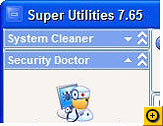
Super Utilities
Here's another all-in-one tool for cleaning up and optimizing your PC, and it too features a load of extras. You'll find a startup organizer that shows you what programs start automatically when you turn on your PC, and lets you disable them. There's also a Registry cleaner, defragmentation tools, antispyware features, and much more--27 tools in all.
This program is shareware, and there's only one drawback to it--at about $60 for registration, it's not cheap. Still, it's worth trying out for free, and after 30 days, you may decide that it's worth the price for registering.
Download Super Utilities.
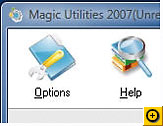
Magic Utilities
This simple, straightforward suite of utilities gives you five different tools for cleaning your PC--one for uninstalling software, one for organizing or killing programs that run on startup, one for finding junk on your hard disk and letting you delete it, one for shredding files, and one for killing any running processes. There's nothing fancy or flashy here; it's just simple and easy to use. This shareware offers fewer features than suites like Super Utilities, but at $40, the registration fee is lower as well.
Download Magic Utilities
Posted by Free One by One at 1:02 AM
Thursday, September 6, 2007
TiVoToGo and Multi-Room Viewing coming to HD TiVos in November
Posted by Free One by One at 11:24 PM
Tuesday, September 4, 2007
Toshiba showcases uber-slim external HD DVD burner
Posted by Free One by One at 12:54 AM


